Reports Overview
Karomia's Reports module enables you to create, edit, and export comprehensive sustainability reports that comply with the Corporate Sustainability Reporting Directive (CSRD) and European Sustainability Reporting Standards (ESRS). Using AI-powered document analysis, Karomia automates much of the data collection and drafting process, allowing you to focus on review and validation.
Supported frameworks
Karomia supports creating reports across multiple standards:
- CSRD / ESRS — Full sustainability disclosures based on European Sustainability Reporting Standards, informed by your DMA results. Covers 500+ data points across 10+ interconnected standards.
- VSME — Simplified reporting for small and medium-sized enterprises.
- GRI — Global Reporting Initiative framework support.
- IFRS S1 / S2 — International sustainability disclosure standards.
- Assessment reports — Reports generated from your Double Materiality Assessment findings.
- Emissions reports — Focused reports on your greenhouse gas emissions data.
Report workflow
Creating a sustainability report in Karomia follows a four-step workflow:
1. Create your report
Start by defining the scope of your report. This includes setting the reporting period, company size (average number of employees), and selecting the material subtopics that apply to your organization based on your Double Materiality Assessment.
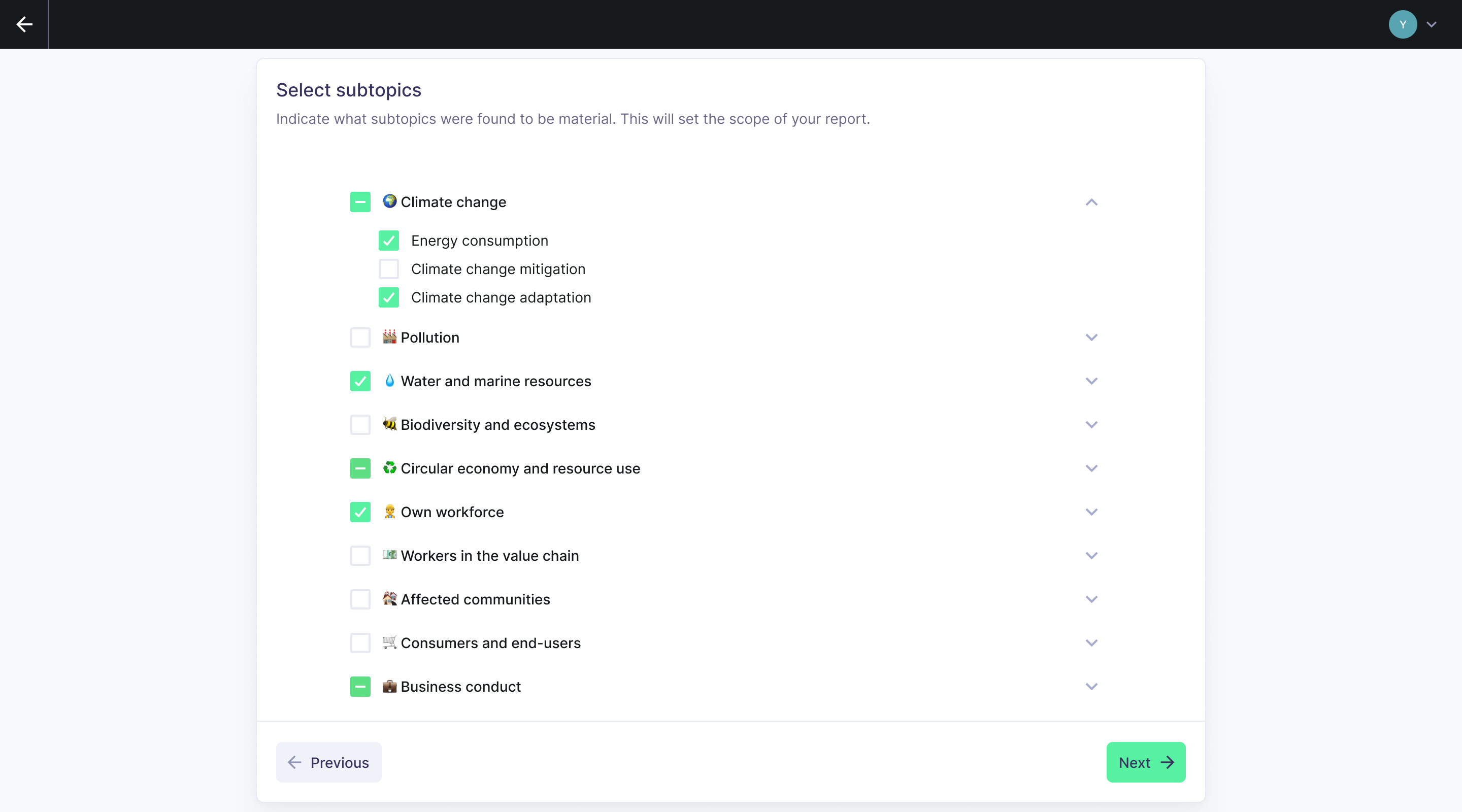
You will also configure assumptions and exclusions that determine which of the 1,000+ CSRD data points are relevant to your situation.
Next, upload your supporting documents across four categories: Environmental, Social, Governance, and General. Karomia's AI engine processes these documents and automatically populates relevant data points throughout your report.
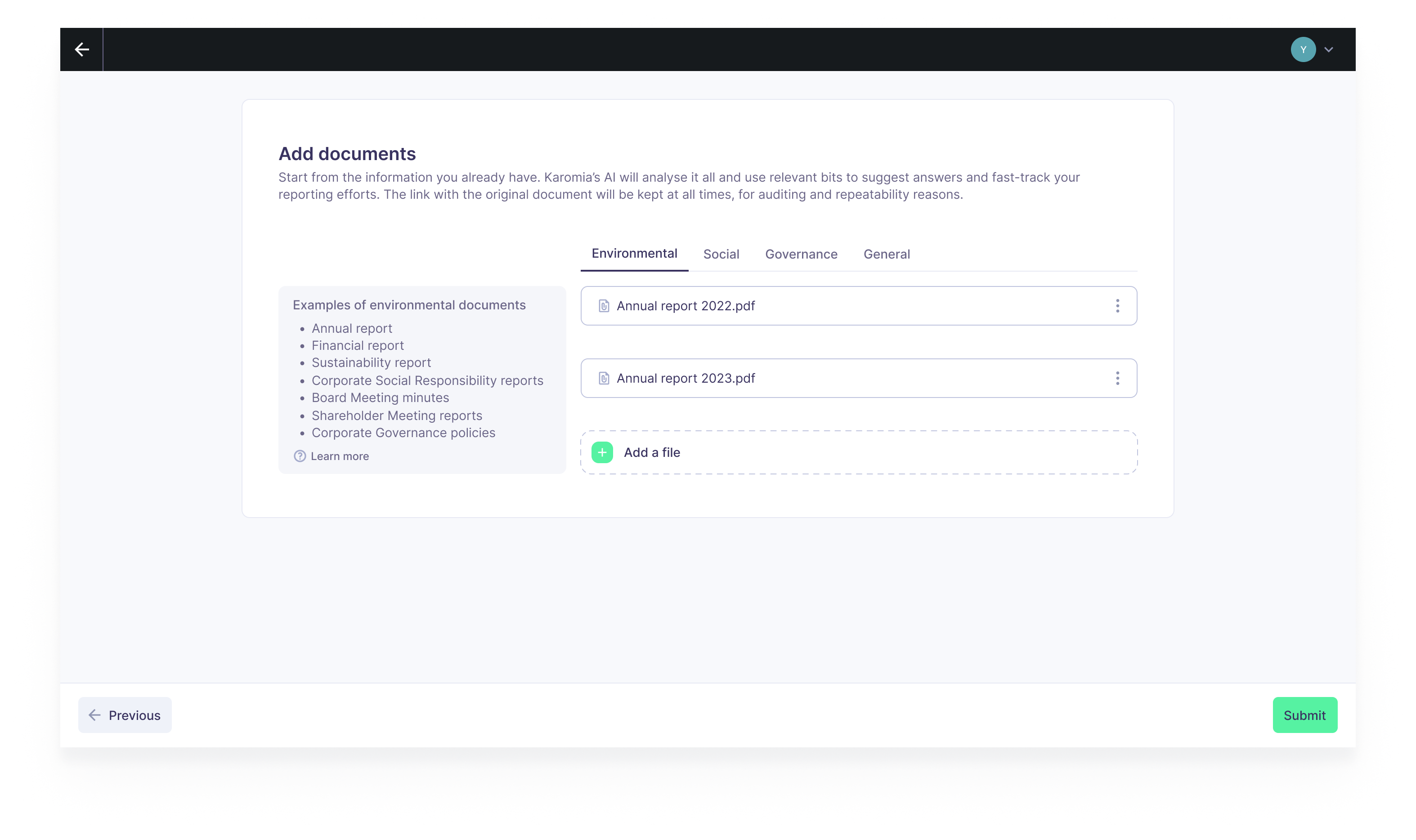
For detailed instructions, see Creating a report.
2. Review AI output
After document processing is complete, review the AI-generated answers for each data point. If an answer needs improvement, you can:
- Add notes with specific instructions for the AI to follow.
- Assign additional documents that contain relevant information.
When you make changes, all affected answers are automatically regenerated by the AI. For more on the review workflow, see Report editor.
3. Complete data points
Some data points may remain incomplete after the initial AI processing. For these, Karomia displays the regulatory text and provides AI-generated suggestions for the missing elements, so you know exactly what information is still needed.
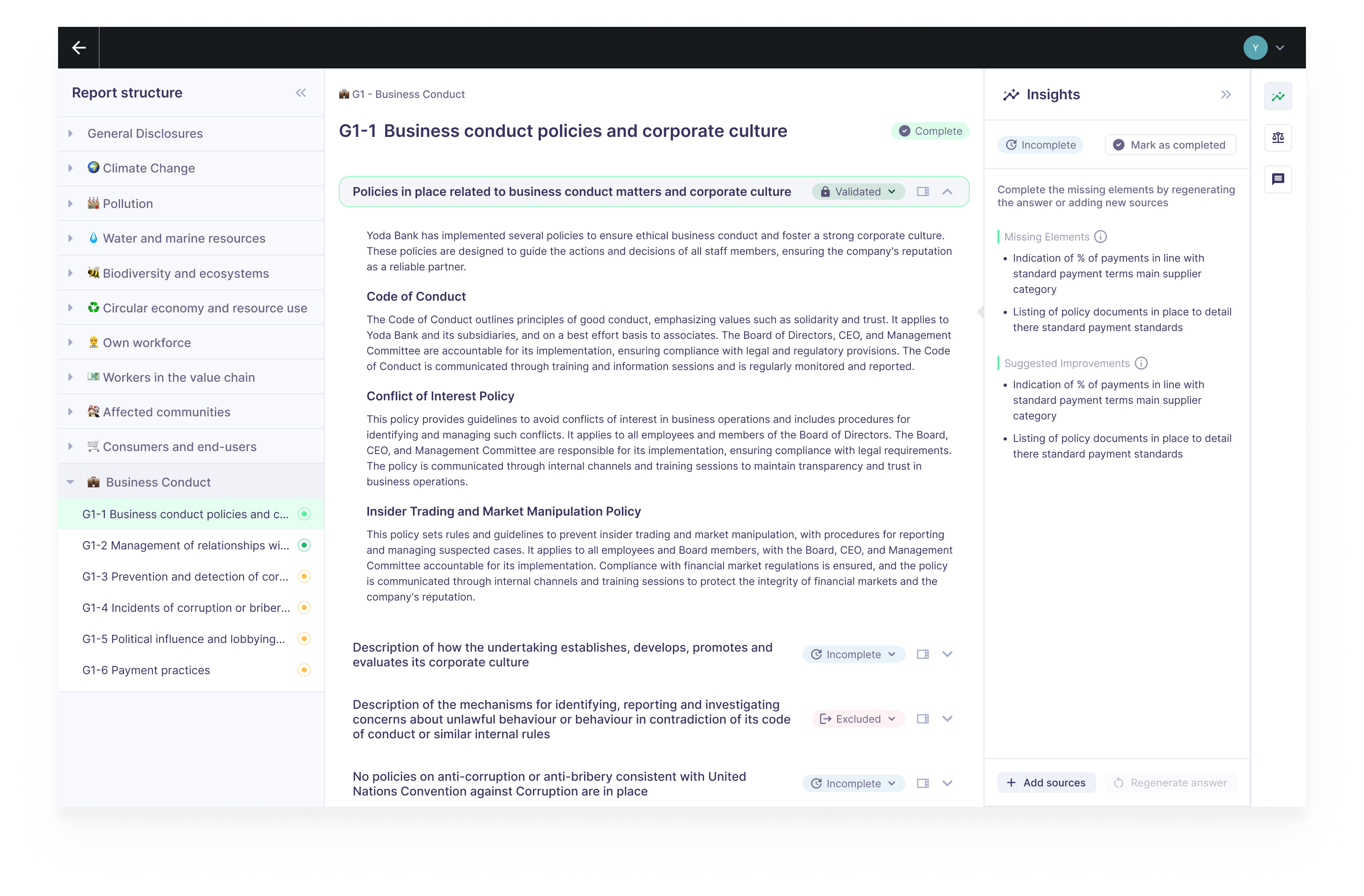
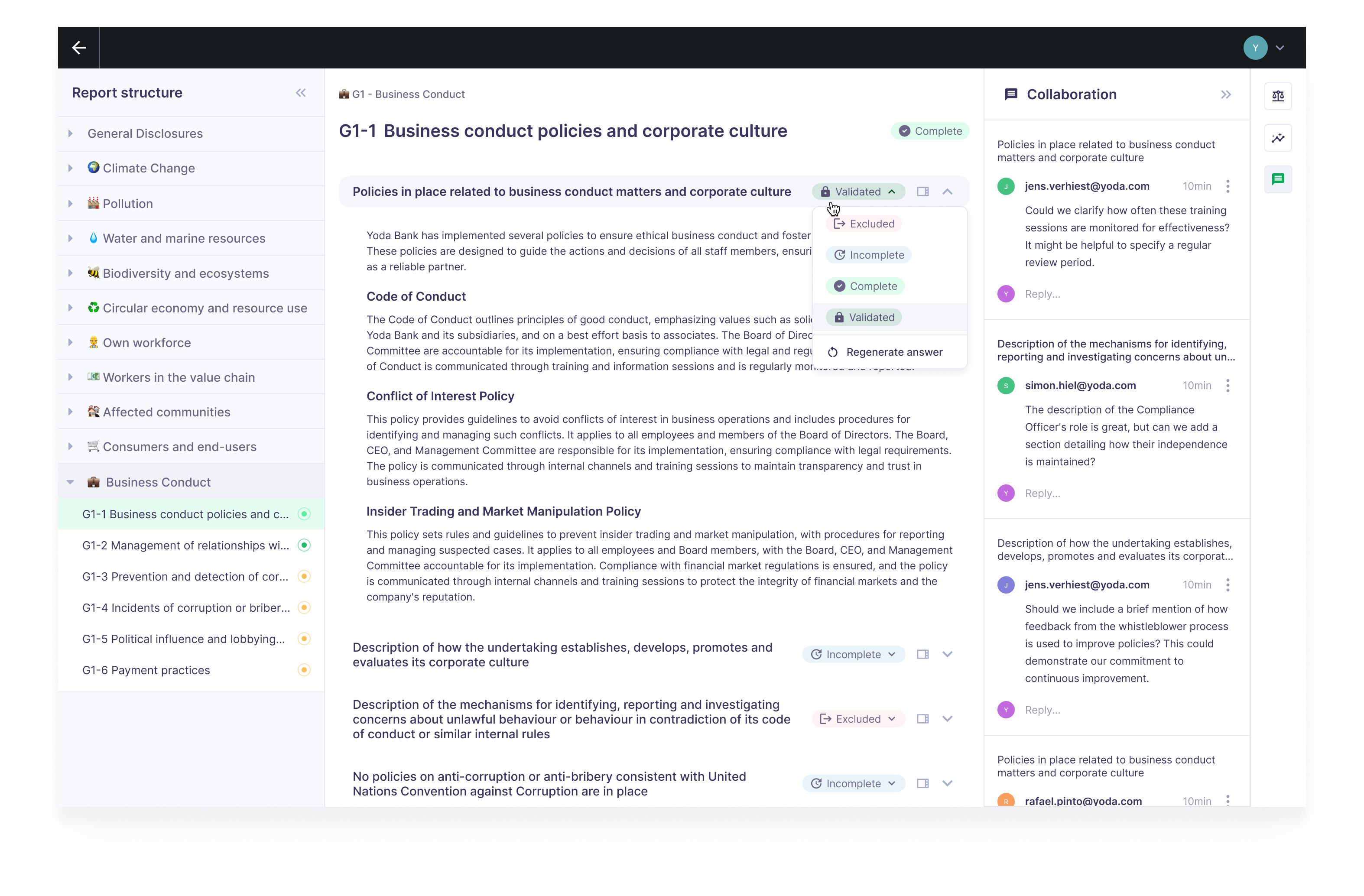
Edit each data point, fill in the missing information, and mark it as complete. Completing an answer is a two-step process — first mark it as complete, then validate it — providing a built-in safety check before finalization.
4. Export
When your report is ready, export it as a Word document at either the full report level or the individual topic level. Two export formats are available:
- Working version — A data-point-by-data-point breakdown, useful for internal review and further editing.
- Disclosure report — A summarized version tagged by disclosure requirement, designed for auditing and external submission.
For details on export options, see Exporting reports.
Data point types
Karomia's reports contain several types of data points, each designed for a specific kind of disclosure:
- Narrative — Free-text fields for qualitative descriptions, policies, and explanations.
- Semi-narrative — Structured inputs such as booleans (yes/no), single-select dropdowns, and multi-select options.
- Numerical — Quantitative values with associated units of measurement (e.g., tonnes CO2e, MWh, EUR).
- Table — Predefined table structures for disclosures that require tabular data.
- Input group — Lists of items, each with its own set of associated questions (e.g., a list of material impacts with details for each).
Next steps
- Creating a report — Define your report scope and upload documents.
- Report editor — Review and complete data points with AI assistance.
- Managing documents — Organize your supporting evidence.
- Exporting reports — Generate your final report output.