Report Your Sustainability Data in Kube ESG
If you are a Belgian company requested to report following the VSME framework, this is the route you will take. In all other cases: Report your sustainability data in Karomia.
Intro
Your investor has invited your company to report ESG data using a specific framework (e.g., VSME). You'll complete the requested report in Kube ESG, an AI-powered reporting tool, and stay in control of who can access your ESG data.
What you'll do
By the end of this flow, you will:
- create (or access) your company's Kube ESG account and invite colleagues to help,
- complete the report with AI-assisted prefill (based on documents and trusted sources),
- have your legal representative validate and submit the report,
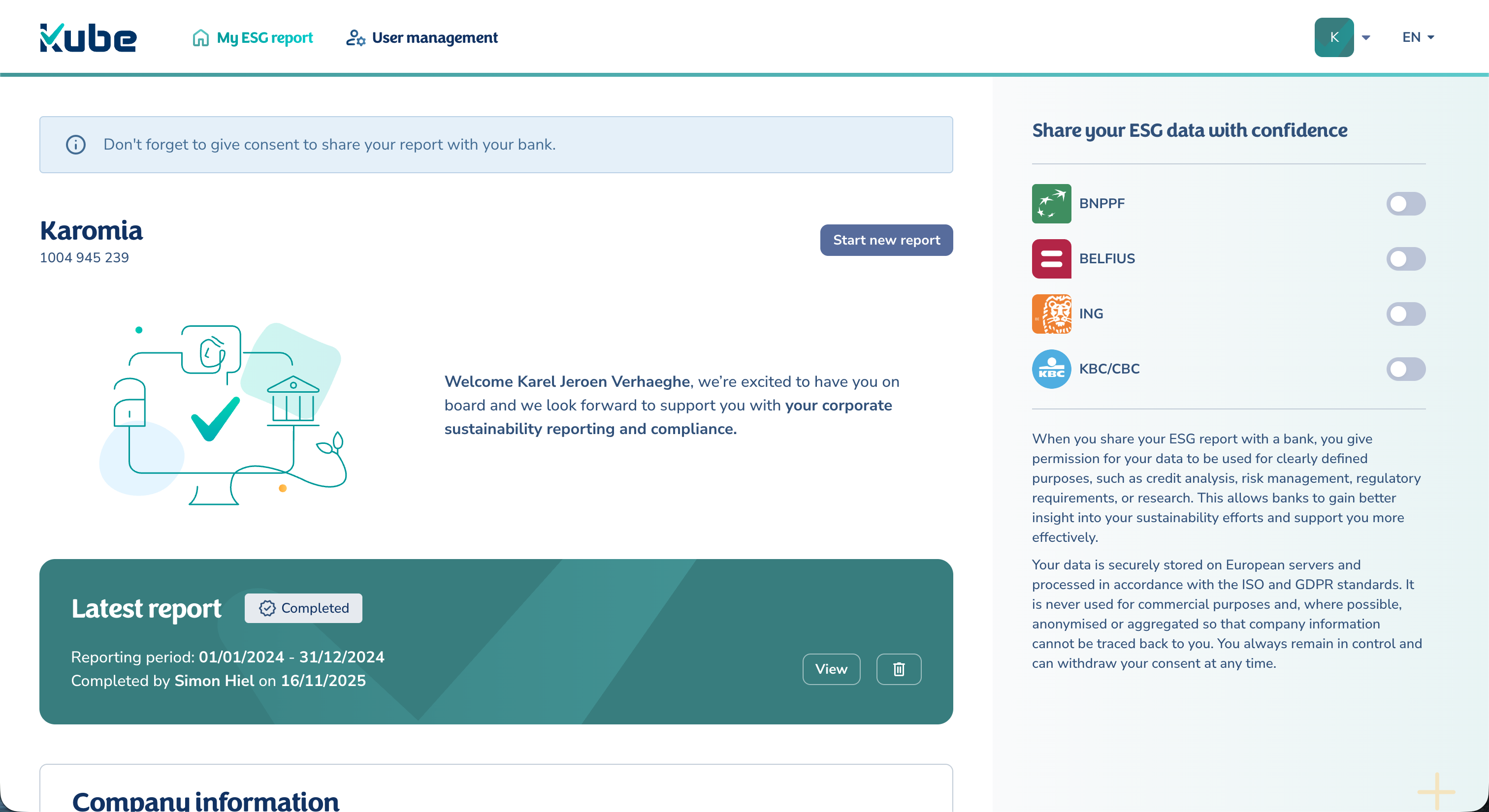
- choose which bank(s) and investor(s) can access your ESG data.
Step 1: Receive the invite email
You'll receive an automated email triggered by your investor's request. It includes a personalised link to Kube ESG so you can create an account (if needed) and start the requested report.
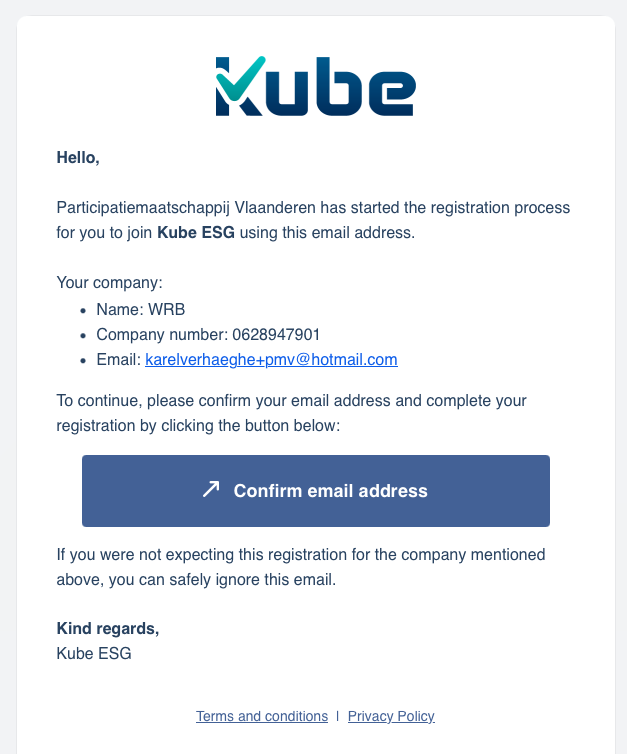
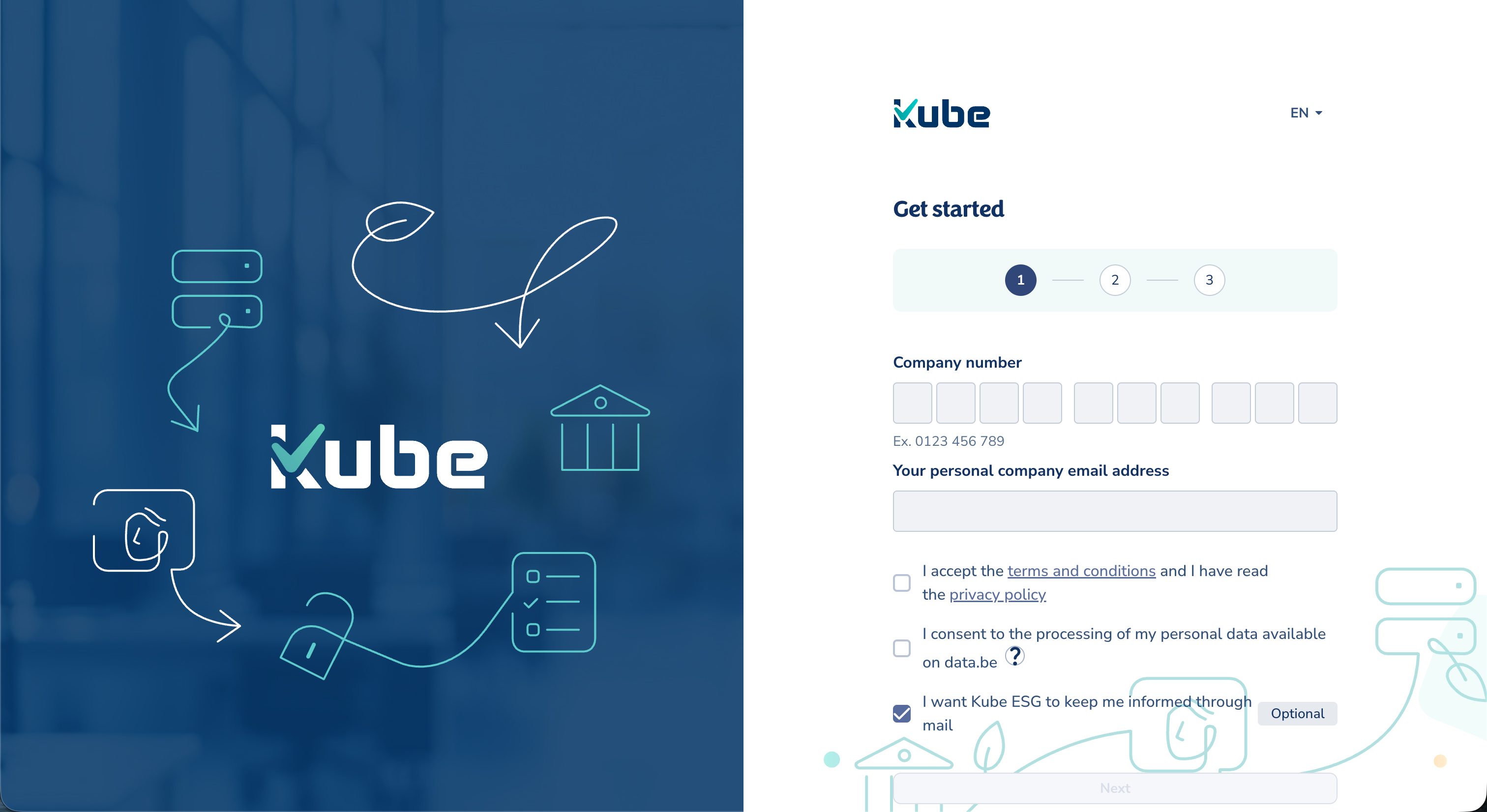
Step 2: Sign up on Kube ESG and invite colleagues
Open the link in the email and create your company space. Kube ESG uses itsme to register you as a user for your company.
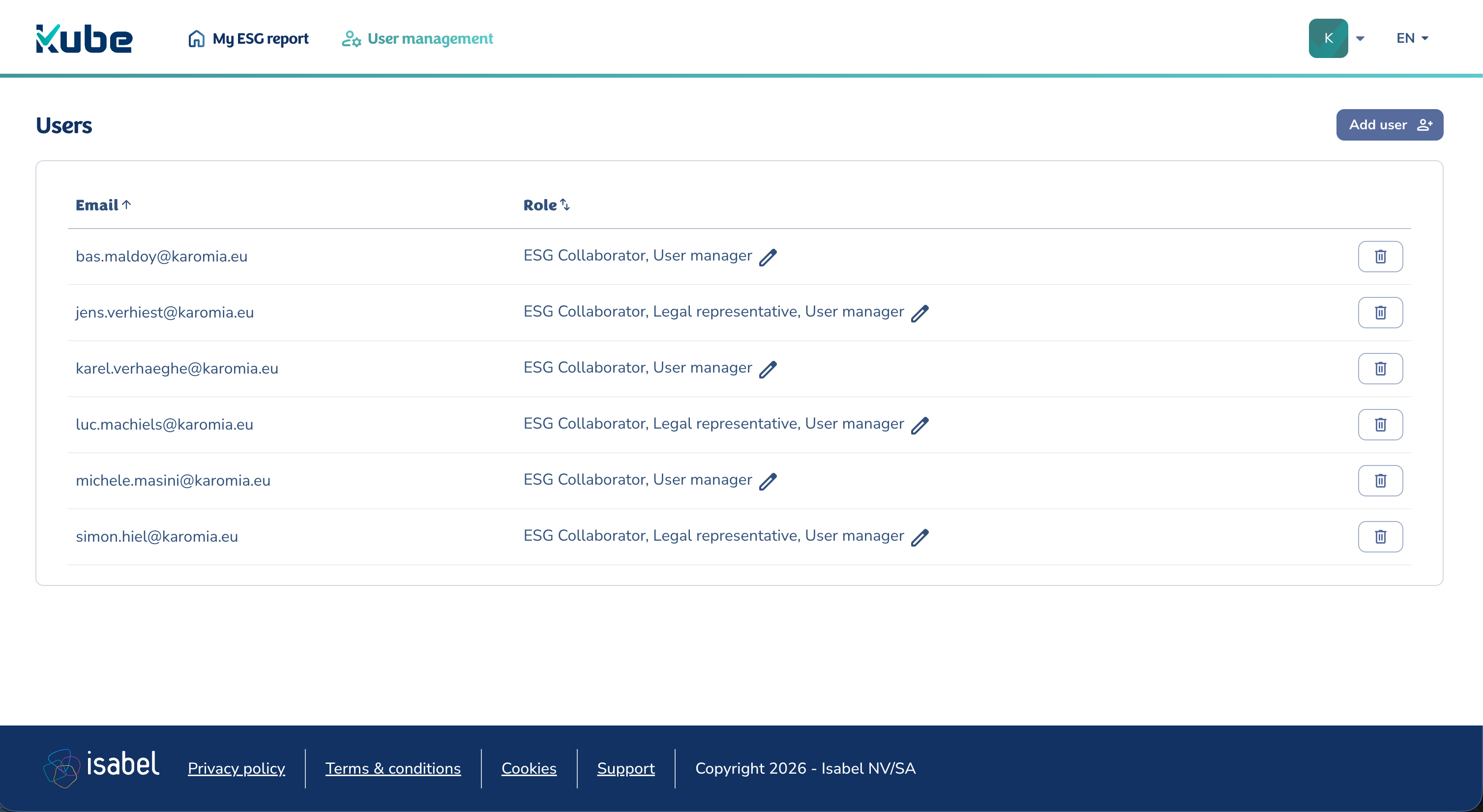
Invite your internal helpers
Once the company space is set up, invite colleagues who can help complete the ESG assessment (e.g., HR, Finance, Operations, H&S). This helps split the work while keeping final sign-off with the legal representative.
Step 3: Start new report
From your Kube ESG home, start a new report.
Depending on your investor's request, you may be able to choose between reporting frameworks. It will be clearly indicated which framework was requested by whom, so you can select the correct one.
AI generates answers
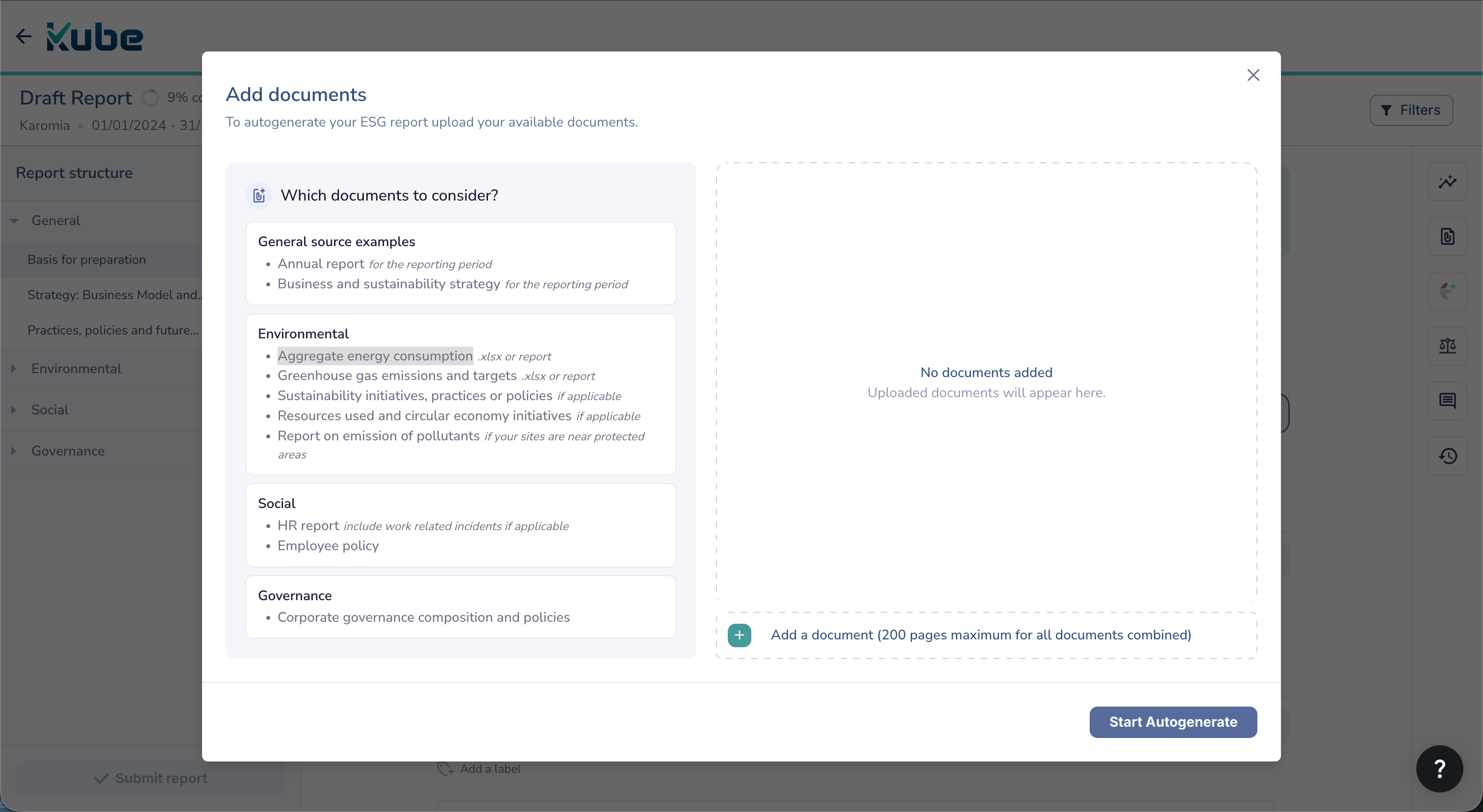
Kube ESG can prefill a large part of the report based on documents you upload (e.g., annual report, energy/utility info, HR policies).
Good examples to upload:
- annual report / management report
- aggregate energy consumption
- HR policies
- supplier / code-of-conduct documents
No documents? No problem. Kube ESG can automatically use your financial reports from the National Bank and trusted online sources (such as your company website). In many cases, the AI can fill in 60%+, even with limited documentation.
You only have 1 AI run included in your plan. Make sure to have uploaded all relevant documents before you run the AI. If you don't have all documents yet, you can always close and come back later to add the remaining ones and run the AI.
Step 4: Review, adjust, and complete answers
After the AI prefill:
- review each answer,
- correct anything outdated or inaccurate,
- complete missing or incomplete answers that couldn't be derived from documents or online sources.
You can keep editing and improving your report until it is validated/submitted.
Efficiency tools
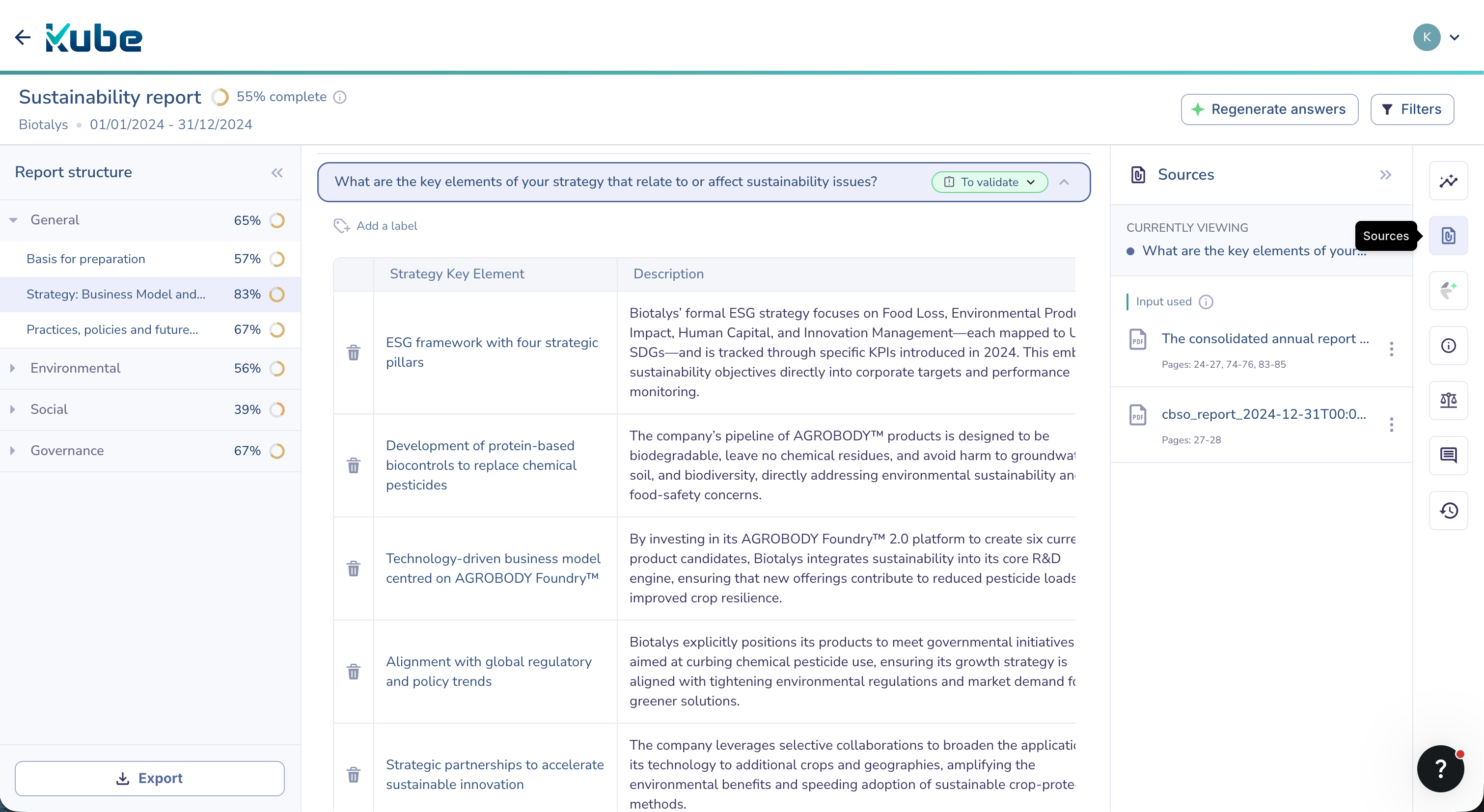
You'll find a set of tools on the right-hand side of the screen:
- Insights: what's missing to make an answer complete (refresh after edits).
- Sources: which sources the AI used and why it answered the way it did.
- AI assistant: ask questions using your uploaded documents and the web; get help editing, formatting, translating, etc.
- Information: extra guidance for certain questions.
- Regulatory text: relevant excerpts from the official framework (e.g., VSME).
- Comments: add notes, mention colleagues, and request review.
- Version history: see who changed what, and when.
Step 5: Legal representative submits and shares the report
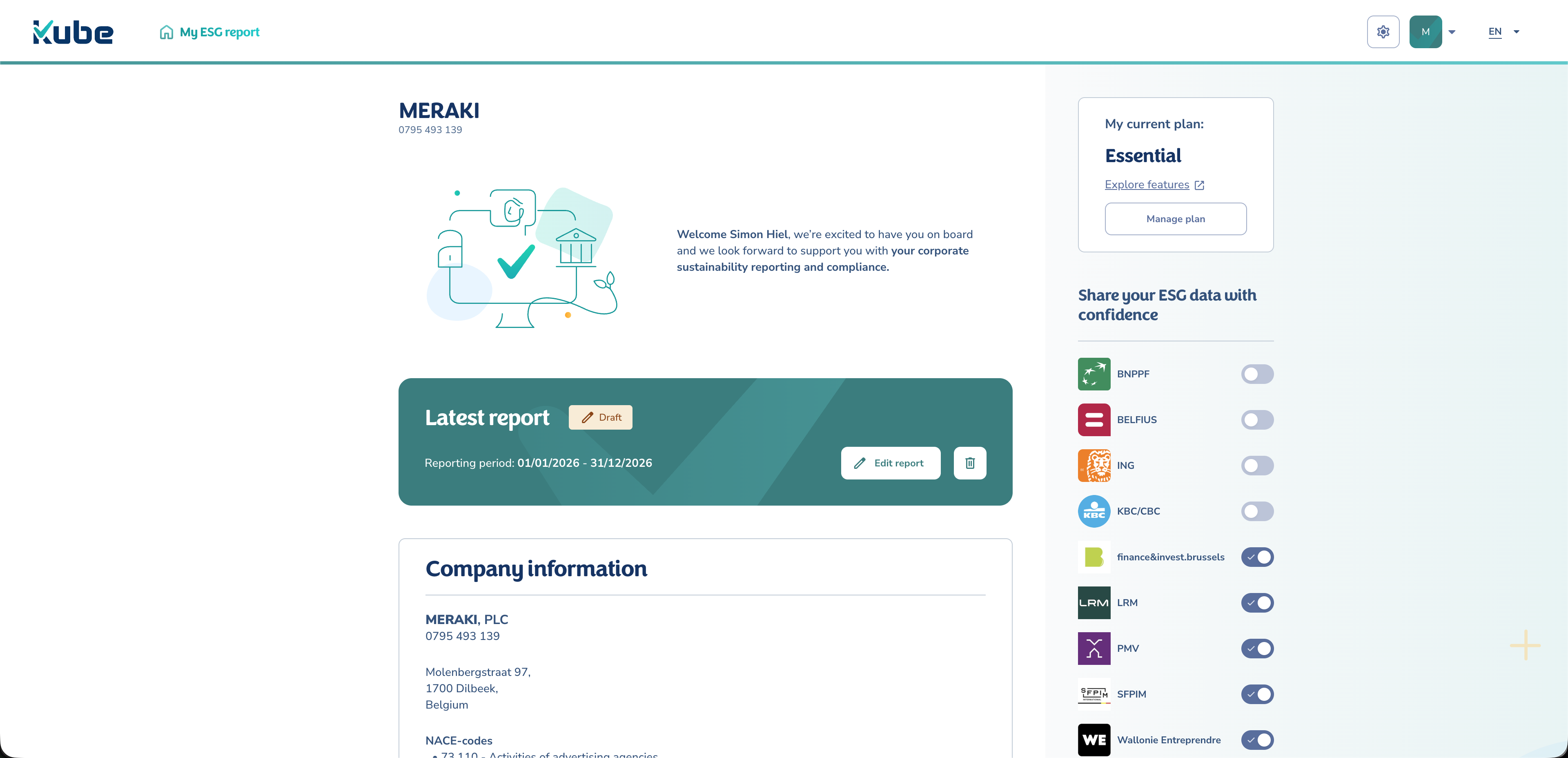
When the report is ready, your legal representative validates and submits it.
After submission, they must still decide who can access the ESG data:
- select recipient(s) from a predefined list of banks and investors,
- confirm consent.
Once consent is given, the selected bank(s) and/or investor(s) can access your ESG data until you revoke access.
You can also generate a PDF report aligned with the requested framework (e.g., VSME), ready to share.
Support
If you get stuck, here are a few ways to get help:
- In-product guidance: use Regulatory text and Information on the right-hand side of the screen.
- Onboarding video / product tour: available at first login, and accessible again later.
- FAQ + glossary: kubesupport.isabel.eu
- Chat support: use the chat bubble in the platform.