Creating an Assessment
Start a new Double Materiality Assessment to identify the ESG topics that matter most to your organization and stakeholders. The creation wizard guides you through three steps: naming your assessment, providing company information, and setting the question complexity level.
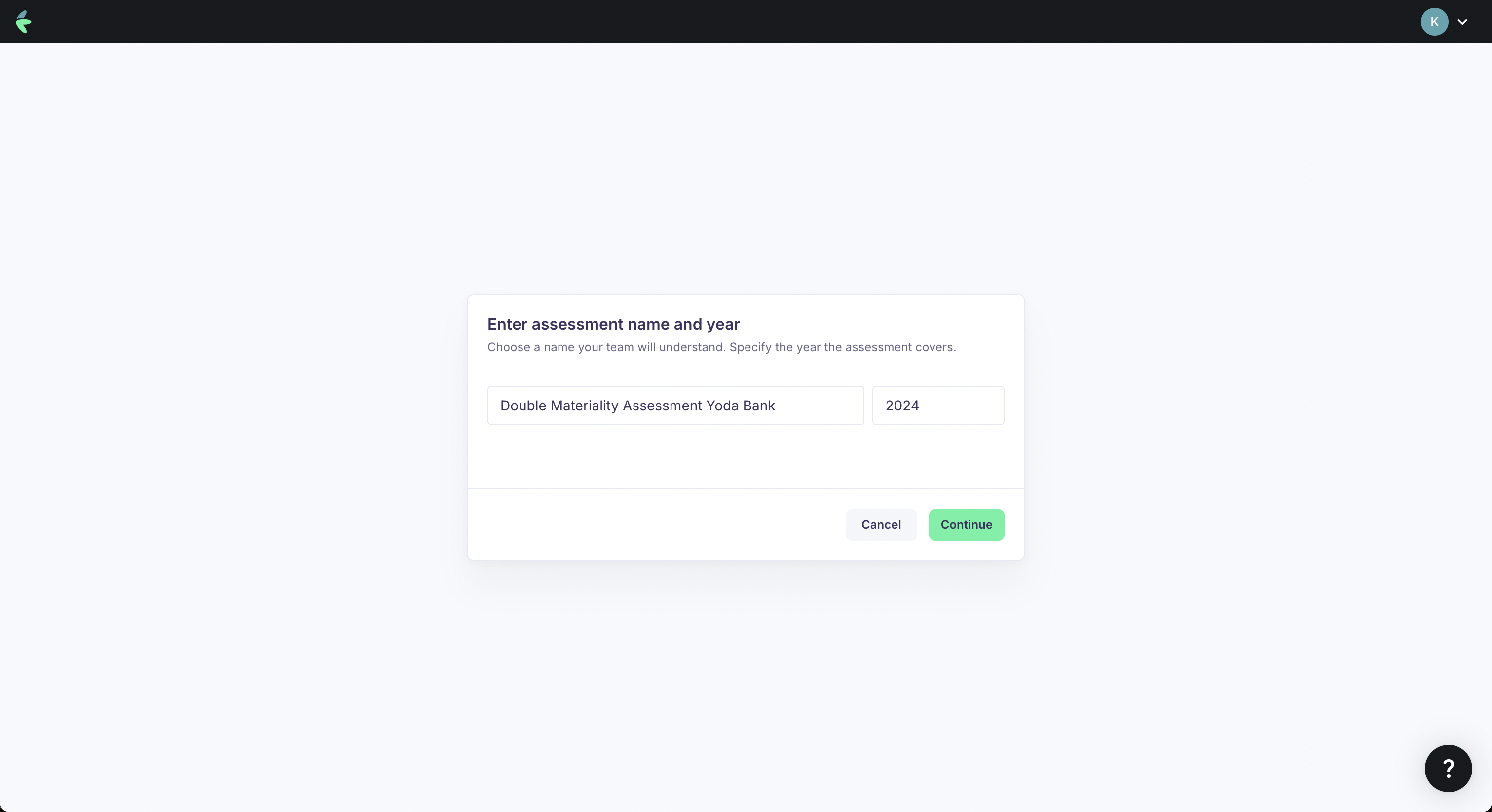
Step 1: Name and calendar year
- Navigate to Assessments from the main navigation.
- Click New Assessment.
- Enter a name for your assessment (e.g., "DMA 2025" or "Annual Sustainability Assessment").
- Select the calendar year the assessment covers.
- Select the entity this assessment belongs to (if you manage multiple entities).
Step 2: Company information
Provide key details about your organization to help frame the assessment:
- Website — Your organization's primary website URL.
- Sector — The sector(s) your organization operates in. If your organization spans multiple sectors, enter them separated by commas.
- Stakeholder engagement languages — Select the languages in which stakeholders will be engaged. English is always included as the base language. All other languages are machine-translated from the English source content.
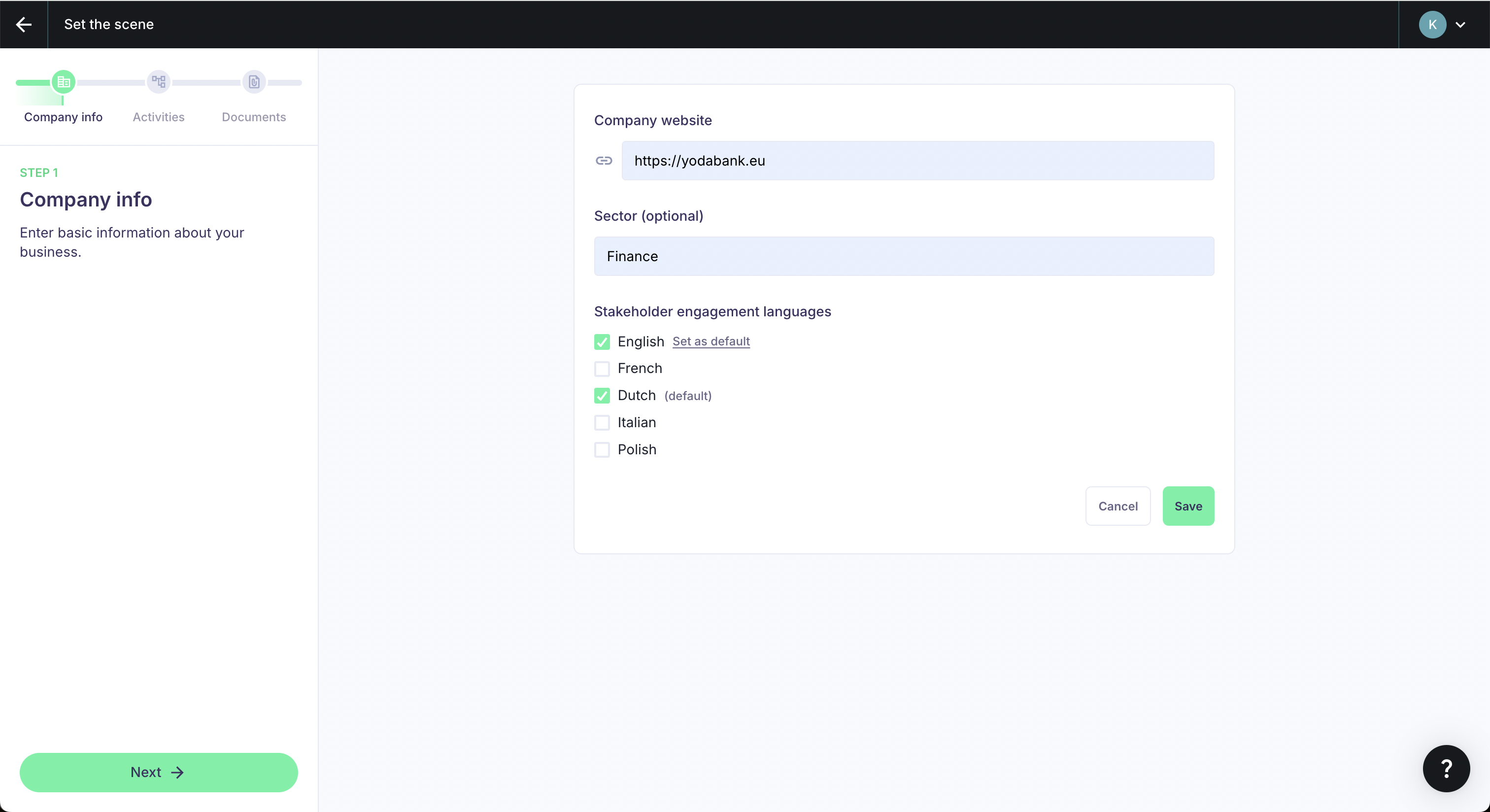
You can set any of the available languages as the default language for your assessment. The default language is the one stakeholders will see first when opening surveys or engagement materials.
Step 3: Question complexity
Choose the complexity level for the questions that will be presented to your stakeholders during data collection. This setting affects how detailed and technical the survey questions are.
| Complexity level | Description | Best suited for |
|---|---|---|
| Easy | Questions require little prior knowledge of sustainability topics. Uses simplified language and shorter questions. | Broad stakeholder groups, employees without ESG background, external parties unfamiliar with ESRS. |
| Standard | Balanced questions that assume a general understanding of sustainability concepts. This is the default setting. | Most assessments. Works well for mixed stakeholder audiences. |
| Complex | Questions require extensive knowledge of sustainability topics and ESRS terminology. Provides the most detailed and nuanced data. | Expert stakeholders, sustainability professionals, consultants, auditors. |
The complexity level applies to the entire assessment. If you have both expert and non-expert stakeholder groups, consider using the Standard level as a balanced option, or creating separate assessments for different audiences.
Assessment structure
Once created, your assessment is organized into five phases, accessible from the assessment navigation:
- Set the scene — Define organizational context, business activities, and upload supporting documents.
- Data collection — Gather stakeholder input through surveys, interviews, and focus groups.
- IRO analysis — Evaluate impacts, risks, and opportunities identified by AI and refined by your team.
- Results — Review the materiality matrix and finalize material topics.
- Reporting — Generate audit-ready assessment reports.
You can navigate between phases at any time, though it is recommended to follow them in order.
Managing assessments
From the Assessments overview page, you can:
- View all assessments — See a list of all assessments for the current entity.
- Edit an assessment — Click on an assessment to continue working on it.
- Track progress — See the completion status of each phase.
You can create multiple assessments, for example to compare results across different reporting periods or organizational restructurings.
Next steps
- Set the scene for your assessment.