Create a new DMA
Set up your assessment so the Karomia AI has everything it needs to map your value chain and generate your IROs.
Introduction
You create an assessment from the Materiality module. The creation flow has three steps. Most of what the AI needs about your company is already in your company profile, so the flow focuses on what is specific to this assessment: its name and year, the languages of your stakeholders, an optional previous DMA to build on, and your documents.
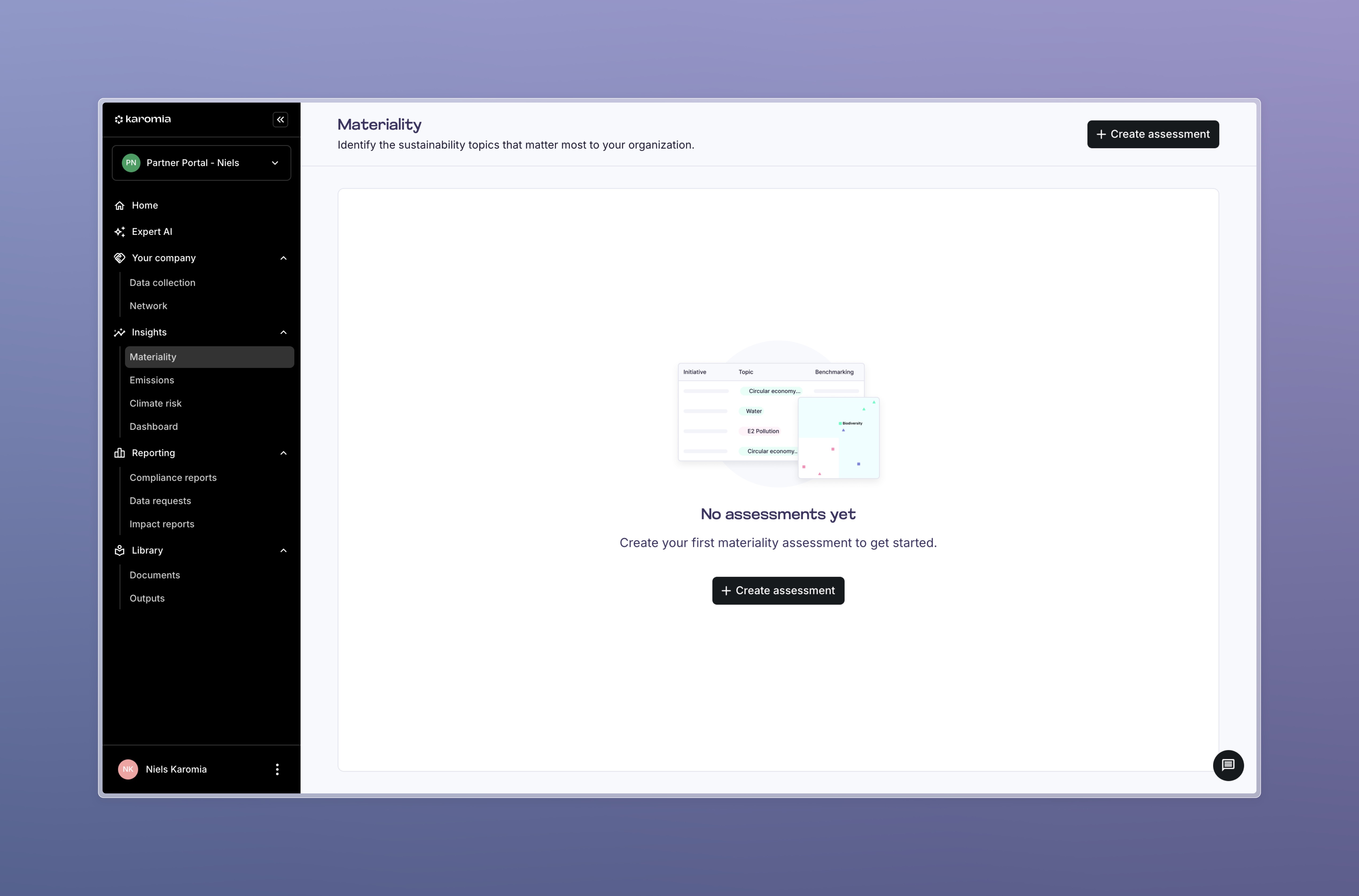
Steps
Step 1: Set up the basics
Give your assessment a name and a reporting year. Use a name you will still recognise next year, for example "Group DMA 2026".
Enter your company website and, if you like, your sector. Karomia uses both to tailor the AI pre-assessment to your company.
Then choose the languages that your stakeholders use: choose a default assessment language and other assessment languages.
- The default language is the language you work in while reviewing IROs and questions. English is the base language of the AI output.
- The other languages are the languages your stakeholders speak. Everything a stakeholder sees (questions and their context) is translated into these languages. Stakeholders can switch language at the top of a survey or interview.
Only select languages you will really use. Each language is one more version to review. You can change the selection later, before you send out surveys.
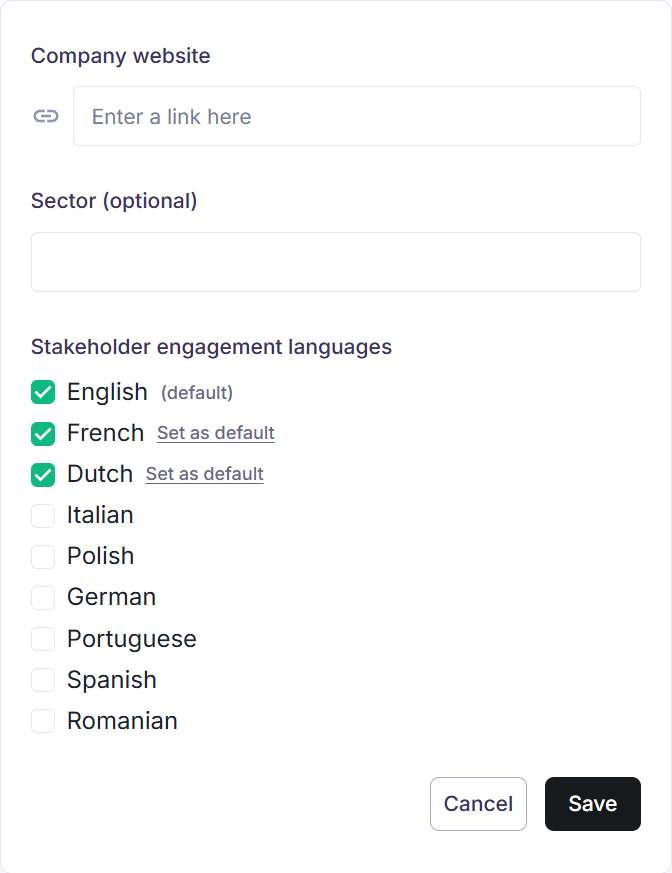
Need a language that is not in the list? Ask us through the in-app chat and we will check feasibility and timing.
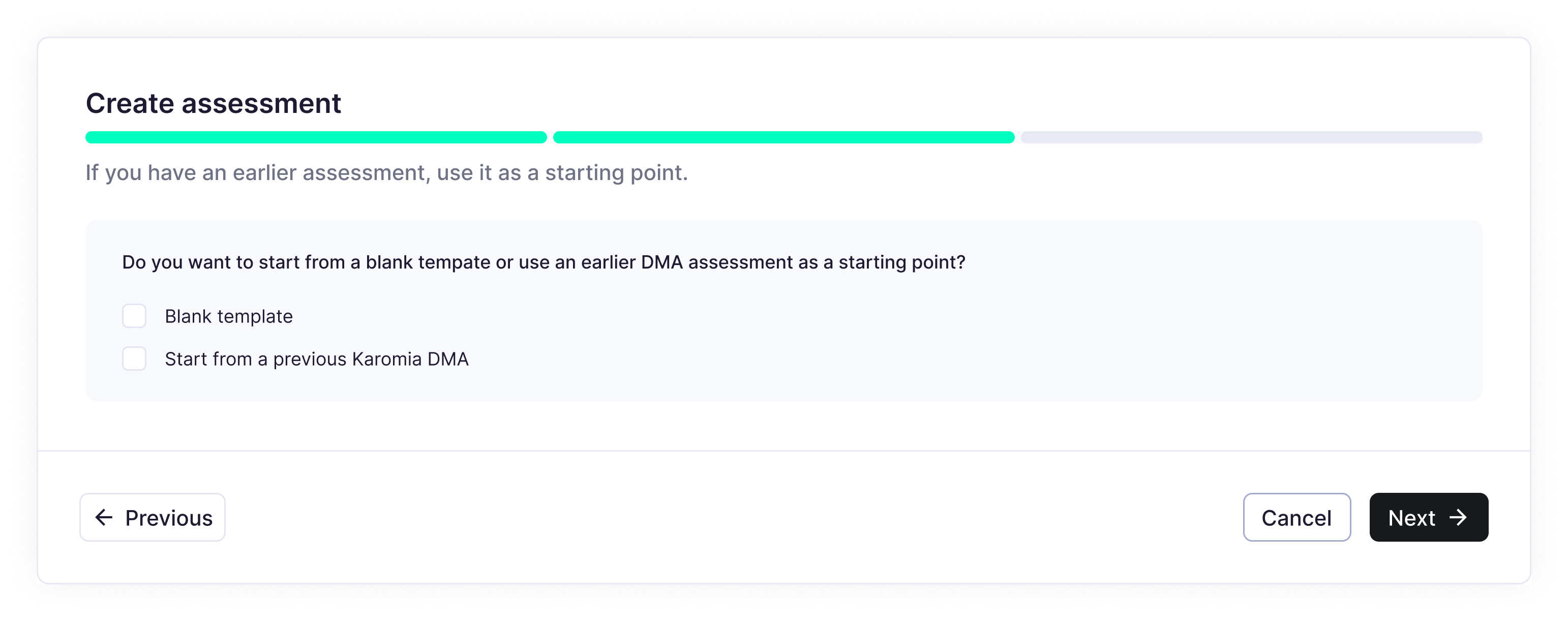
Step 2: Start from a previous DMA (optional)
If you have done a DMA before, in Karomia or elsewhere, you can use it as a starting point. Karomia will tag the new IROs that continue a matter from your previous assessment and show you how each subtopic moved.
Choose Start from a previous Karomia DMA to pick a previous Karomia assessment or to upload the Karomia materiality template filled with your previous results. Start from a previous DMA explains both options and what carries over.
Step 3: Add your documents
Upload the internal documents that describe your company, and link documents that are already in your Karomia document library. These are the most important input for the quality of your IROs. Upload documents tells you what to upload and what to leave out.
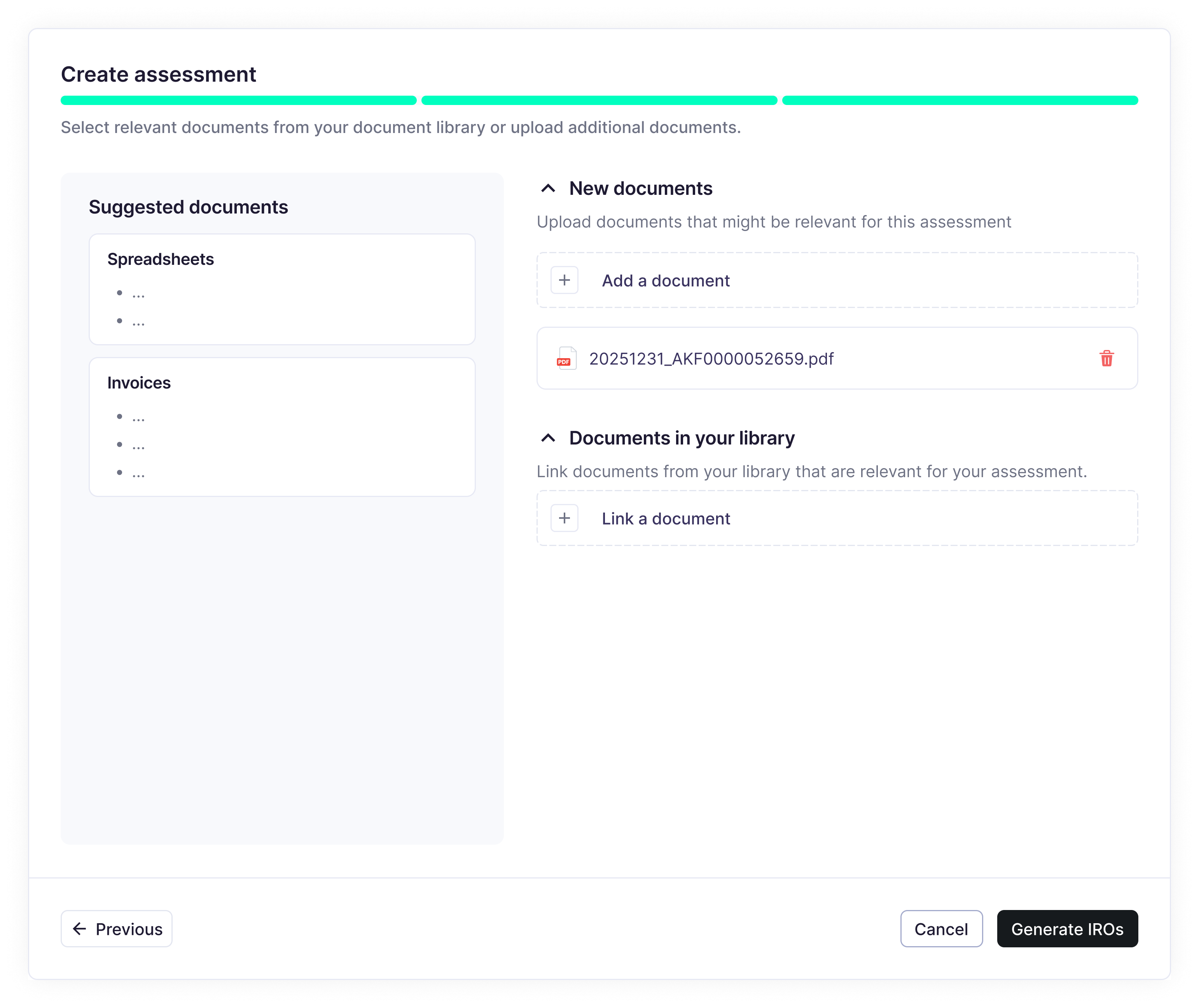
Step 4: Generate IROs
Generating IROs cannot be undone. Check the following questions below before you go on:
- Did you select the languages your stakeholders will need?
- Is your company context (sector, activities) accurate?
- Did you upload your most relevant internal documents, including any previous materiality assessment?
- Do you need entity-specific topics or subtopics that are not in the ESRS list? Tell us through the chat before you generate, so the AI includes them.
- Do you want to review the value chain map before the IROs are generated? See Review your value chain map.
Click Generate IROs. Karomia now:
- maps your value chain,
- runs the AI pre-assessment of every ESRS subtopic,
- generates and scores your IROs.
You receive a notification when your IROs are ready, typically within a few days. Until then your assessment shows the status "Pending".
Several assessments
You can create more than one assessment, for example one per entity or jurisdiction, or a test assessment. Each assessment is independent. Your Materiality overview shows the most recent one and its matrix.
Output
- An assessment in Pending status, with your languages, your company context and your documents attached.
- The value chain map and the AI pre-assessment running in the background.
- A notification when your IROs are ready, typically within a few days.
Next: Review and select IROs.